Below are instructions on how to sign up for shifts or be checked in for your shift on playa.
All Volunteers
Sign up for a shift
To add yourself to a shift:
- Open the menu by clicking the hamburger icon in the top left-hand corner of the screen and select "Shifts" from the menu options.
OR
In the Accounts page, scroll to the Shifts section and click "Add shift". - Find the Date and Time of the shift you'd like to sign up for and click on the row.
- You can filter both the calendar and table views by shift type and availability, and by date in the table view. In the calendar view the filters are at the top-left, above the grid. In the table view, open the filter list with the funnel icon (three dashes) at the top-right.
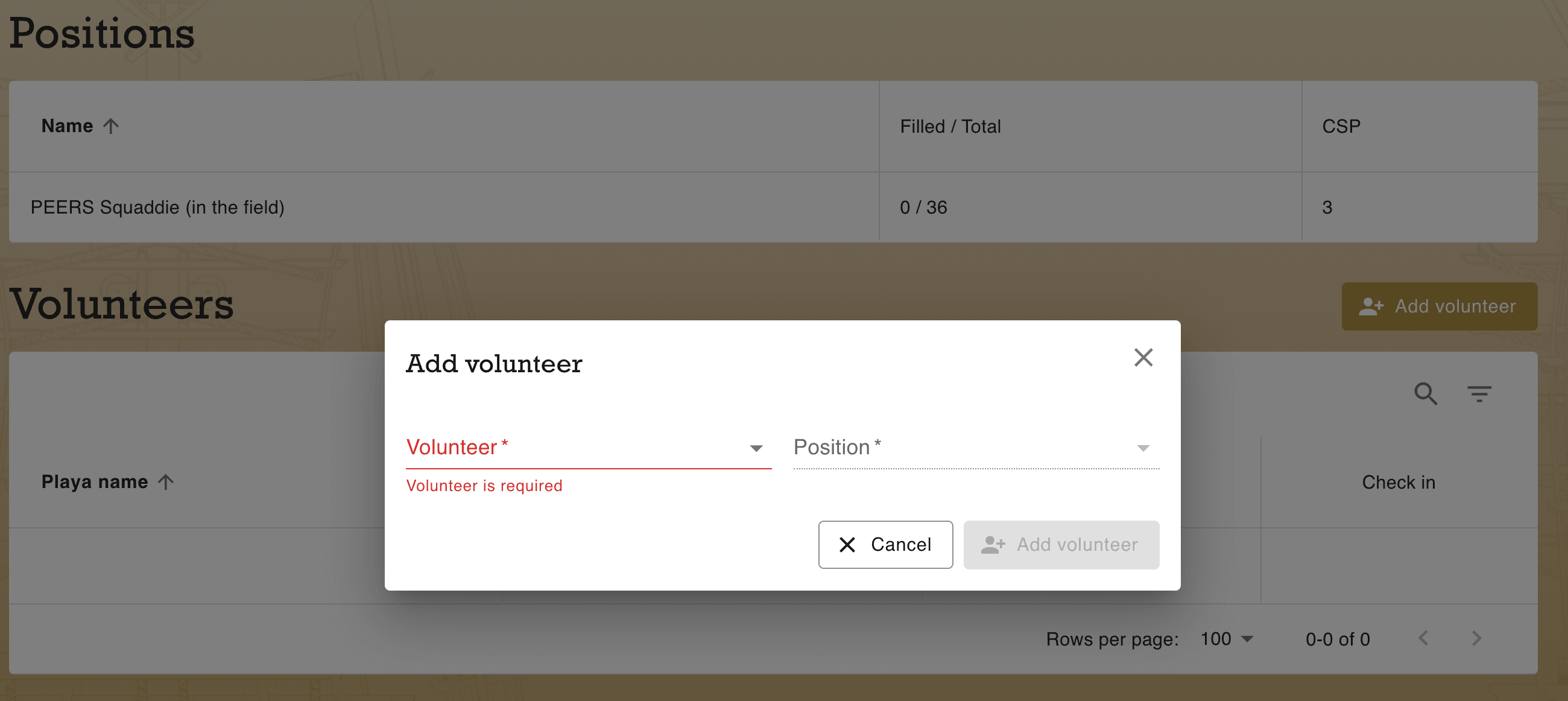
- Rightmost top of the "Volunteers" section, click "Add Volunteer".
- Select your name if not already selected and the shift type in the "Position" field.
- If the Position is greyed out, you have not been approved or taken the training to select that shift.
- Click "Add Volunteer" in the pop-up window.
- To confirm, click the hamburger icon and select "Account", scroll down and your selected shifts will be visible.